Generate a report
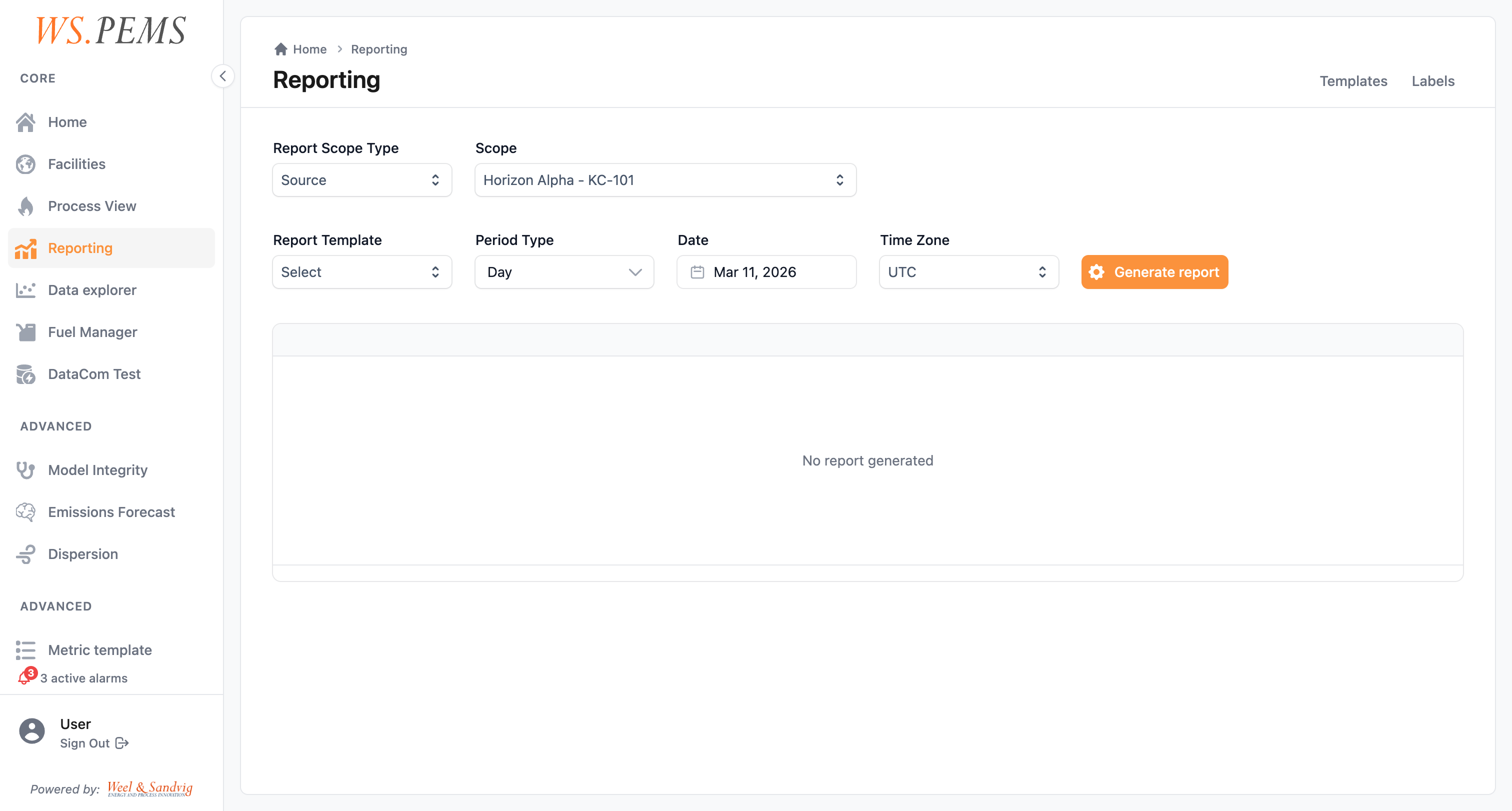
Open Reports to generate a compliance report. Select its scope, template and date range. Each row shows one aggregation interval.
Before you start
- All roles can open Reports.
Adminand up can edit report templates. See Find a screen. - A report template must exist for the report. Your administrator configures the templates. See Report templates.
- The aggregation jobs must have calculated the period. The regime of the report sets the source mode. In the stored mode, a report reads the stored values and does not calculate them again. In the dynamic mode, the report calculates the combined values when you generate it. Then a configuration change can change a new report. See Regimes that calculate at report time.
Generate the report
- Open Reports in the main menu.
- Select the scope type: Global, Region, Asset or Source.
- In Scope, select the region, asset or emission source. For Global, this field is not used.
- In Template, select the report template.
- In Period, select Day, Month, Quarter, Year or Custom. Then select the Date. For Custom, select the Date range, the Row interval and the Time zone.
- If necessary, select Include uncertainty data. For a region or an asset, you can also include all assets or all emission sources.
- If more than one regime is available, select the Regime.
- Click Generate report.
Result
The report shows on the screen. Each row is one aggregation period, for example one day. Each column shows the aggregated value of one parameter and its compliance status. Quality indicators show next to the values.
You can export the report as PDF, CSV or XLSX.
To see which inputs affected a value, click the value. See Trace a reported value.
Common problems
| Problem | What to do |
|---|---|
| A cell shows quality 92, "No validated value". | The period has no stored VSTA. Run a batch run for the period. |
| A cell shows quality 91, "No applicable limit". | Configure the limit for the period. Then run a batch run. |
| A cell shows quality 96, "No value". | Examine the input data for the period. |
| The report does not show a changed limit or condition. | A changed configuration does not change stored values. Run the affected periods again in a batch run. Then generate a new report. |
The quality codes table lists the most common codes.
Report templates
A report template defines the structure of a generated report: which columns to include and what to show in each.
Templates contain two types of columns:
- Emission columns: measured pollutants such as NOx, CO, CO₂, SO₂, or particulates.
- Process columns: operating parameters such as flue gas temperature, oxygen content, or volumetric flow.
Your administrator configures templates to match the reporting requirements of each emission source at your facility.
To put the values of several templates in one document with text and charts, use a composed report.
How the values are calculated
Reporting periods and emission limits explains the regimes, the averaging chain (STA, SSTA, VSTA and LTA), the scheduled aggregation jobs and the quality indicators.