Administration
Use these screens to set up WS.PEMS and to keep it running: Onboarding, Facilities, Data storage, Settings and Audit Trail. Your role decides which screens you can open. See Find a screen.
Set up an emission source
Use this checklist to set up an emission source. Do the steps in this order. Each step uses the result of the step before it.
- Add the asset and its emission sources in Facilities or Data storage. See Edit facilities and base records.
- Connect the plant tags in Tags & data sources.
- Add the fuel, if the model uses combustion calculations. See Fuel Manager.
- Set up the model. See Model Manager.
- Set up the pipeline. See Pipeline Manager.
- Set up the jobs. See Jobs Manager.
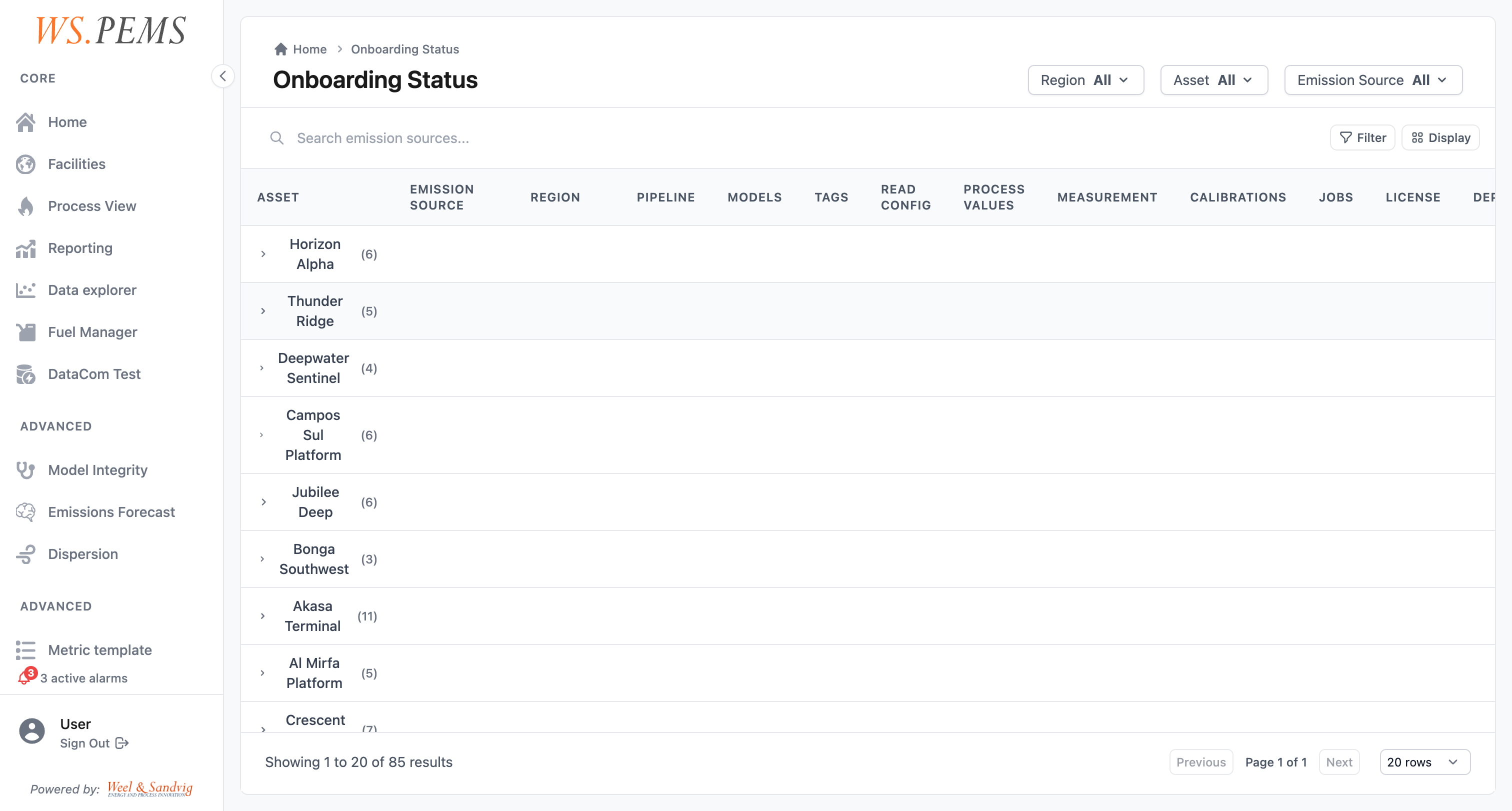
Then open Onboarding to check the result. See Check the setup status.
Check the setup status
You must have the SuperAdmin role.
- Open Onboarding. The page title is Onboarding Status.
- Find the emission source. The table has one row for each emission source, with its asset and region. The columns show the status of Pipeline, Models, Tags, Read Config, Process Values, Measurement, Calibrations, Jobs, License and Deployment.
- Click the row to open the details of the emission source. The details show one section for each setup item, for example Tags Configuration, Model Configurations and Scheduled Jobs.
The Onboarding page shows the status only. To change a setting, use the configuration page of that item.
Edit facilities and base records
- On the Facilities page,
SuperUserand up can edit a facility. - In Data storage,
SuperAdmincan edit the base records: regions, assets, emission sources and more.
The Onboarding and System health pages show the status of each emission source.
Change settings
Settings is at the bottom of the main menu. A side menu shows its pages in three groups:
- Account: General.
- Workspace: AI Assistant, Integrations and Data Management.
- System: Feature Flags and Advanced.
The Find a screen page gives the role that each page needs.
Review changes in the Audit Trail
You must have the SuperAdmin role.
- Open Audit Trail.
- Read the events. Each row shows the time, severity, event, category, user, action, entity, asset and a message. For changes to data, the record also keeps the values before and after the change.
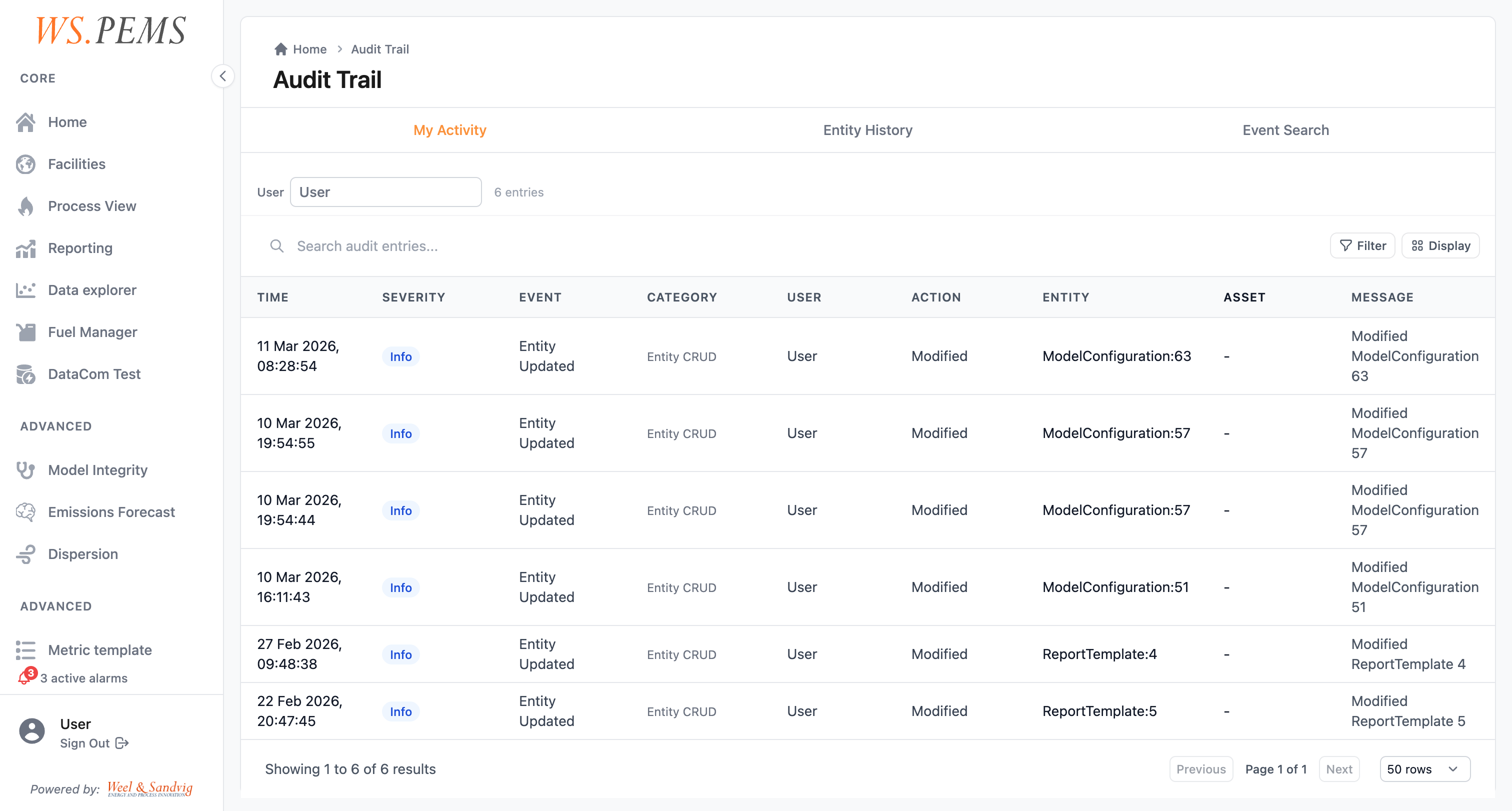
The audit trail records events only when it is turned on in the installation configuration. It is off by default. A daily job deletes audit entries that are older than the retention period. The default retention period is 365 days.
User roles and access
WS.PEMS has four roles: User, SuperUser, Admin and SuperAdmin. Each role can open all the pages of the roles before it in this list. The Find a screen page shows which role each page needs.
An administrator gives the roles. If you need access to a page that your role cannot open, speak to your administrator.
Regions
WS.PEMS divides the data into regions. A user has a role in one or more regions. A role in the global region applies to all regions.
The application uses the regions of the user to decide which assets, emission sources and reports the user can see and change.