Fuel Manager
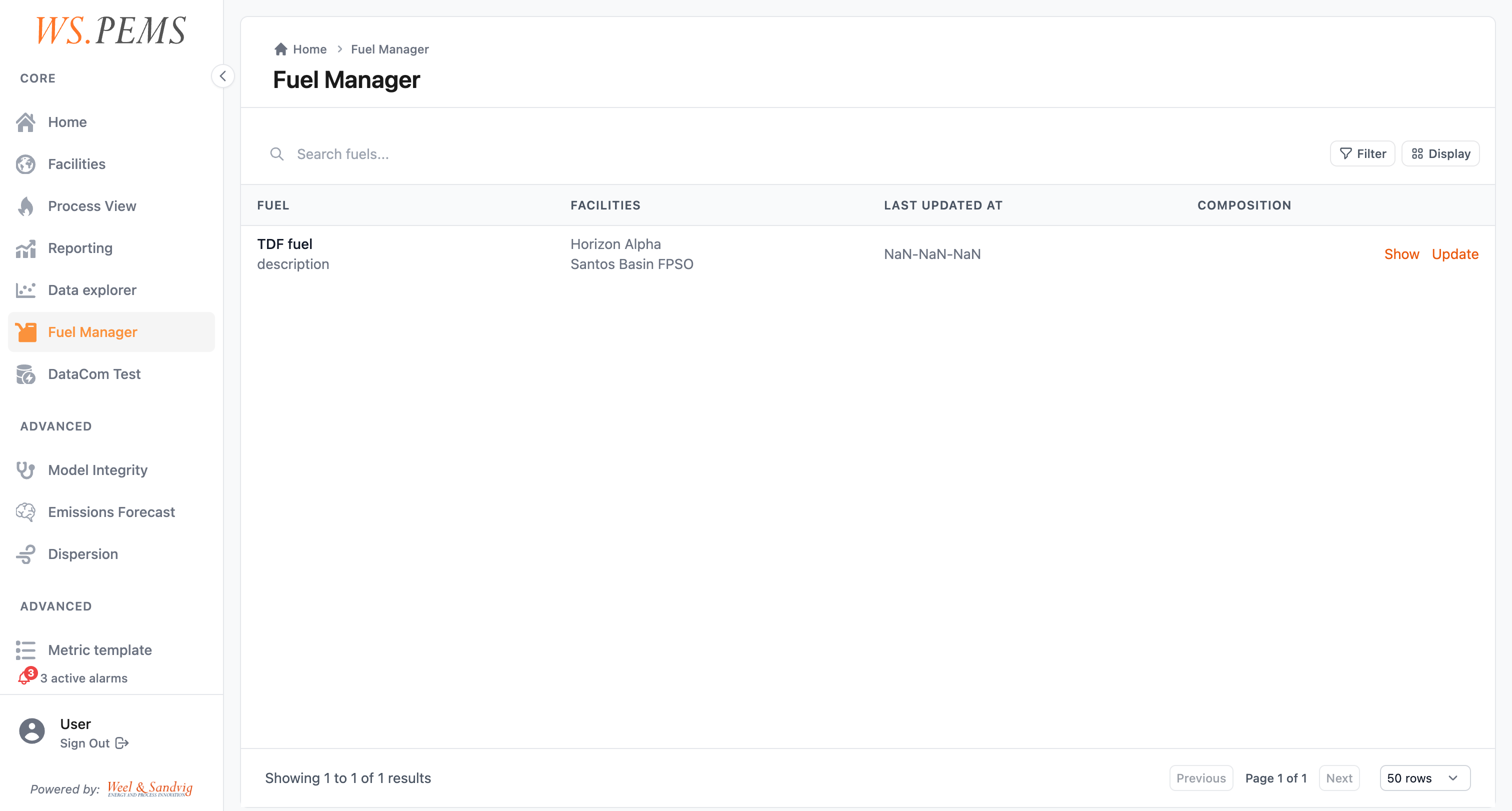
The Fuel Manager is the screen where you keep the fuels and their composition analyses. To open it, click Fuels in the Platform configuration group of the menu.
Fuel data is an input to the emission calculations. The chemical composition of the fuel changes how much CO2, NOx and other pollutants combustion makes. Keep the fuel composition data correct and current, so that your calculated emission values stay reliable. This is important for First-Principle models and flare efficiency calculations.
Before you start
- All roles can see the list of fuels. To open and edit a fuel, you must have the
SuperUserrole or higher. - Have the results of the gas analysis ready: the date and the concentration of each component.
Add a fuel analysis
When the fuel composition changes, add a dated analysis. Keep the previous analysis, so that historical calculations can use the composition that applied at that time.
- Open Fuels. The Fuel Manager opens.
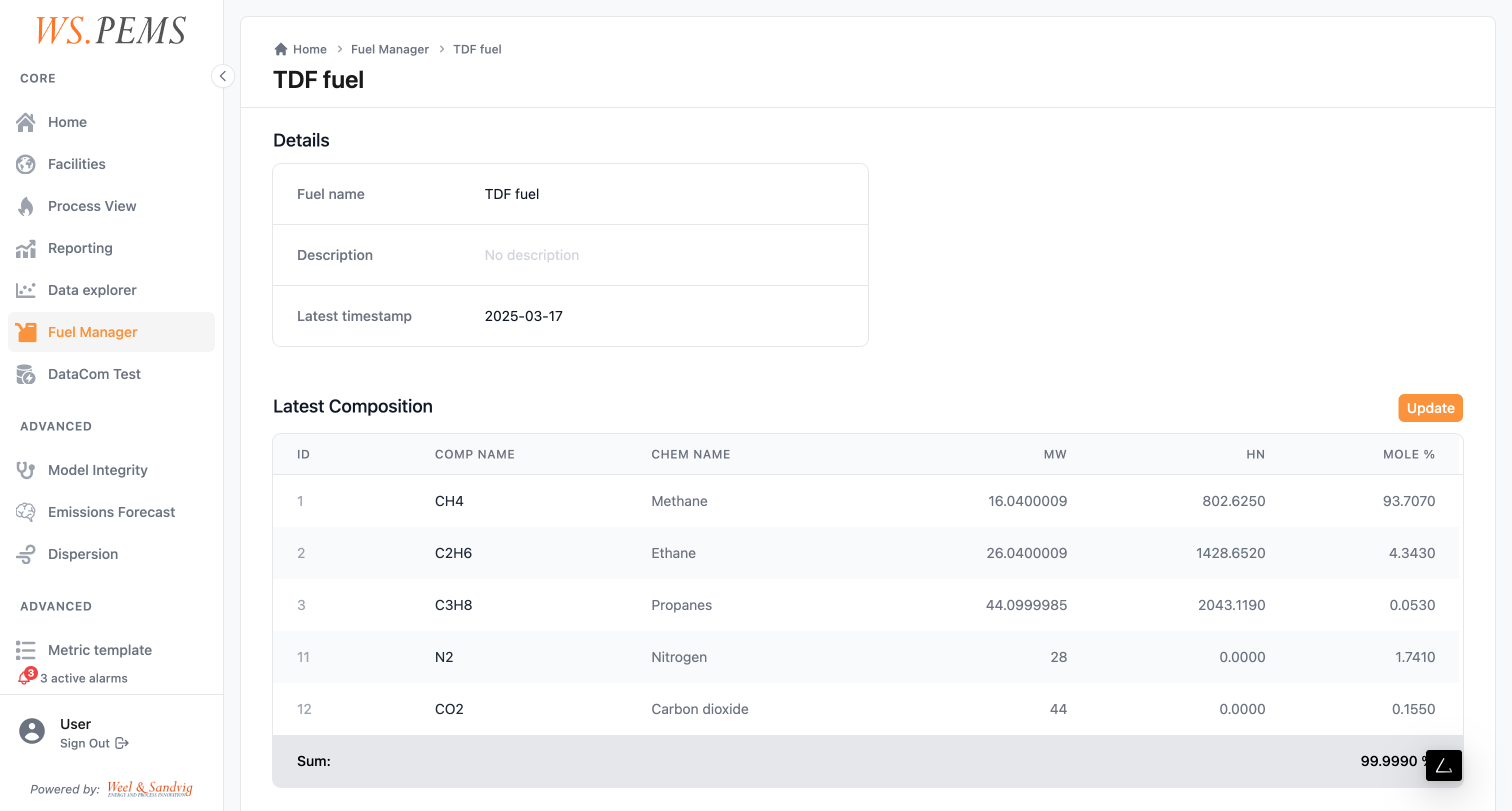
- Open the fuel. The fuel page shows the Details and the Latest Composition of the fuel.
- Click Update. The Update Fuel Composition page opens.
- In Step 1 - Information, select the date of the gas analysis. Optional: type a Gas Analysis Description.
- In Step 2 - Components, change the concentration of each component, or add new components.
- In Step 3 - Confirm Update, click Update Fuel Composition.
Result
The fuel has a new analysis with the date that you selected. The pipelines use it for the times from that date.
The new analysis does not change values that the system calculated before. To use it for a past period, run a pipeline batch run.
Common problems
| Problem | What to do |
|---|---|
| You cannot open a fuel. | You must have the SuperUser role or higher. |
| "Fuel composition could not be updated. Please try again." | Do the update again. If the error stays, contact support. |
| The fuel analyzer is offline. | Add the analysis by hand, as in the steps above. |
How fuel data works
What a fuel analysis contains
A fuel analysis records the chemical composition of a fuel at one point in time. Composition data typically includes:
- The concentrations of the components, for example methane, ethane, propane, CO2 and nitrogen.
- The heating value of the fuel: the energy that one unit quantity releases when it burns.
- Other physical properties that the connected calculation models need.
Fuels, assets and models
Each fuel belongs to a region. You link a fuel to one or more assets. Each fuel has its own analysis history.
The model configuration of an emission source selects the fuel that the model uses. A model configuration can also select a second, liquid fuel. For example, one unit can use pipeline natural gas and another unit a heavier process gas.
How the models use the fuel data
The calculation models of each emission source use the fuel composition data:
- Mass flow calculations: the molecular weight of the fuel mixture sets the relation between volumetric flow and mass flow.
- Combustion stoichiometry: the carbon, hydrogen, sulfur and nitrogen content set how much of each pollutant one unit of burned fuel makes.
- Heating value: the energy balance calculations of First-Principle models use it.
When a pipeline runs the model, it gets the fuel analysis that was current at the processed time. Thus a batch run after you correct the fuel data gives results with the corrected composition.
Automatic fuel analysis from tags
When fuel composition analyzers are connected to the plant data system, WS.PEMS can read the fuel composition from live tag values. In this configuration:
- The system reads composition values from the connected tags at each pipeline execution.
- Each pipeline execution makes a new fuel analysis record, with the time of the run as its sample time.
- You do not enter data by hand while the analyzer operates correctly.
Use this mode at facilities with inline gas chromatographs or similar analyzers that are connected to the OPC data infrastructure.
When the analyzer is offline or in maintenance, you can still add an analysis by hand.